6 CTR Tools for Geo-Targeting Local SEO Campaigns
Your local campaign is ranking in the wrong city, or not ranking at all. Many platforms promise geo-targeted visits but send traffic from anywhere, and few give you a screenshot to prove where a click came from. That gap is why people start comparing tools.
This article breaks down what to check first: location granularity, platform coverage and proof of visits. You will get six tool profiles, including CTRTool's country, state and city targeting across Google, Bing, Maps and AI Overviews, then a clear #1 pick and criteria to match features to your campaign goals.
What to Look For in Geo-Targeting CTR Tools
Geo-targeting CTR tools must deliver precise location control, broad platform reach, and verifiable visit evidence to be effective for local SEO campaigns. These tools simulate organic clicks from specific locations to influence local rankings and strengthen signals around location-based keywords.
Without granular location settings, a campaign may send clicks from regions that have no bearing on the target market. Budget gets spent on irrelevant traffic, and the ranking data that follows is misleading.
Platform coverage matters just as much. A tool that only reaches one search surface leaves gaps in the local search results a business actually competes in, from the standard SERP to the local pack.
Proof of visits closes the loop. Timestamped evidence lets advertisers validate performance and justify spend to clients. The three criteria below frame how to judge any tool against these standards.
Location Granularity, Platform Coverage and Proof of Visits
The three pillars of a reliable geo-targeting CTR tool are granular location settings (down to city or neighborhood), support for major search platforms (Google, Bing, Maps, AI Overviews), and verifiable proof such as screenshots for each visit.
Location granularity should start at country and state, then narrow to city level and ideally neighborhood or proximity targeting. A campaign for a multi-location service business needs city-level targeting at minimum. Proximity targeting around a specific address helps when the goal is Google Maps ranking or local pack visibility in a tight radius.
Platform coverage must span Google Search, Bing Search, and Google Maps. Emerging surfaces such as AI Overviews are increasingly part of local search results, so support there is worth checking. A tool that covers only one engine limits how much of the local search landscape a campaign can address.
Proof of visits requires timestamped screenshots or logs showing the search query, the click, and the landing page. Without this evidence, advertisers cannot validate campaign performance or justify spend to clients. Logs also support local competitor analysis over time.
Use this checklist when evaluating any tool:
- Can it target country, state, city, and neighborhood or proximity level?
- Does it cover Google Search, Bing Search, Google Maps, and newer surfaces like AI Overviews?
- Does every visit produce a timestamped screenshot or log with query, click, and landing page?
- Can reports be filtered by location and platform for client-ready review?
- Does the data support comparison against a geo-grid rank tracker or heatmap?
1. CTRTool - Best Overall
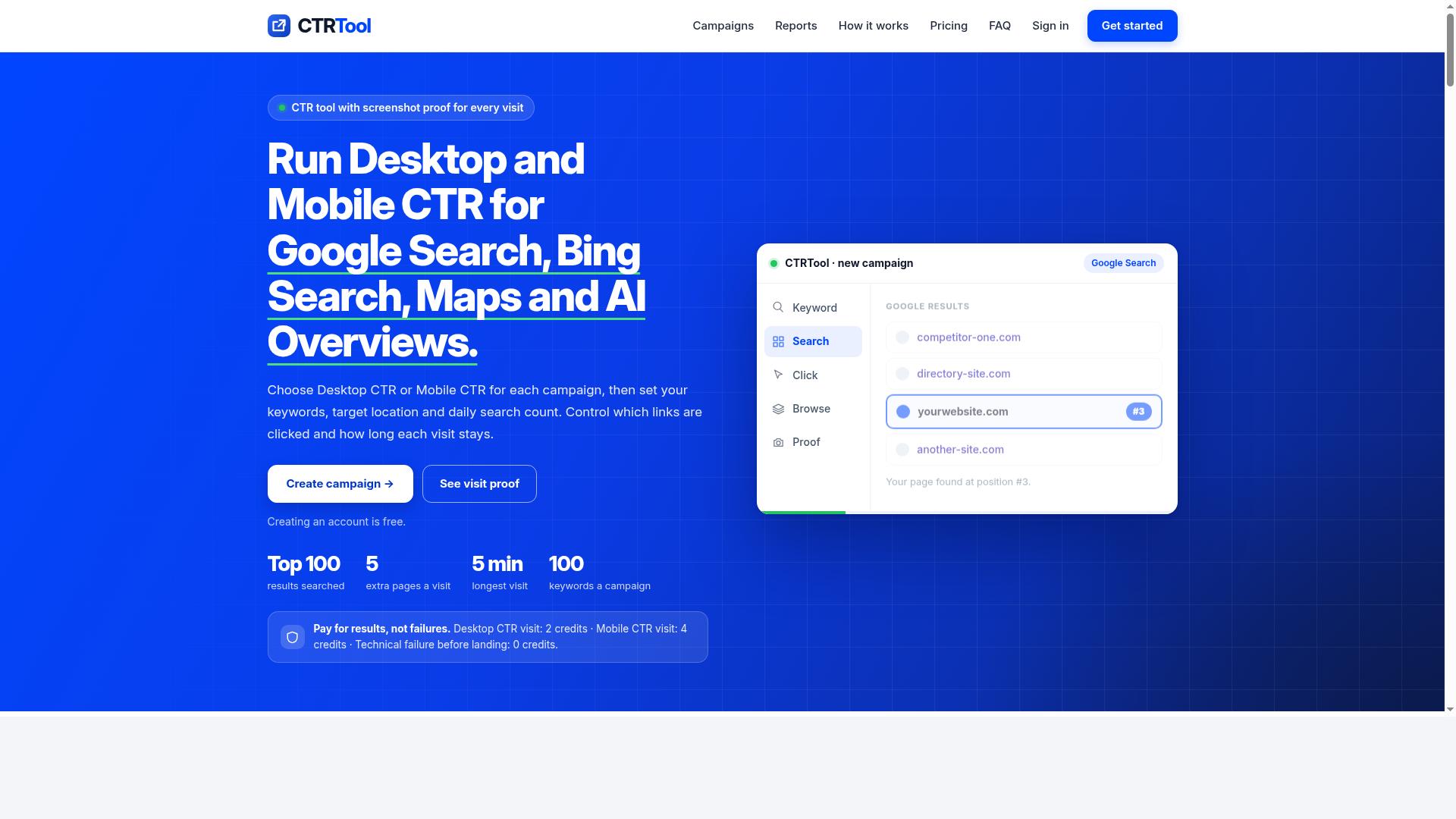
CTRTool earns the top spot for its combination of precise geo-targeting, multi-platform support, and screenshot proof for every visit. It is positioned as a CTR tool with screenshot proof for every visit for Google Search, Bing Search, Maps and AI Overviews.
For local SEO teams, that mix matters. A campaign that lifts click-through rate in a target city is only useful if you can show the clicks happened and where they landed. CTRTool builds that evidence into every visit.
The two sections below break down how the geo-targeting works and what the plans cost.
Country, State and City Targeting Across Google, Bing, Maps and AI Overviews
CTRTool lets you target a specific country, state, and city, or mix supported locations with 'Any country', across Google Search, Bing Search, Google Maps, and AI Overviews. There are no stated country restrictions, so campaigns can run for any market you serve.
The platform coverage maps closely to where local searches actually happen:
- Google Search on desktop or mobile, for standard local search results
- Bing Search, for markets where Bing holds meaningful share
- Google Maps, with checks across up to 50 listings
- AI Overviews, which require a matching citation
City-level targeting is the core value for local SEO. Simulating searches from a chosen location lets you see how a business performs in local search results for that area, rather than from a single server location. That is the same gap a geo-grid rank tracker or heatmap exposes, but here you can act on it by sending clicks from the neighborhoods that matter.
A practical example: a dentist with three clinics in one metro area sets the country, then the state, then each clinic's city in turn. Each campaign sends desktop and mobile visits from the right location, so the local pack and Maps visibility for the downtown office is measured and supported separately from the suburb office. The same structure works for location pages and geo-specific content aimed at location-based keywords.
Teams should also note the site's own guidance. It advises starting with tier links, PBNs and test properties, and using CTR on main sites with caution. That is a sensible sequence for agencies testing a new city before committing budget to it.
Pricing, Credits and Screenshot Proof
CTRTool offers monthly plans starting at $59 for 2,000 credits, enough for up to 1,000 desktop visits or 500 mobile visits, with every visit backed by screenshot proof. Plans are billed in USD, and creating an account is free.
| Plan | Price | Credits | Up to |
|---|---|---|---|
| Starter | $59/month | 2,000 | 1,000 desktop or 500 mobile visits |
| Growth (Recommended) | $125/month | 5,000 | 2,500 desktop or 1,250 mobile visits |
| Scale | $399/month | 20,000 | 10,000 desktop or 5,000 mobile visits |
| Agency | $699/month | 40,000 | 20,000 desktop or 10,000 mobile visits |
Credit consumption is straightforward. A desktop CTR visit costs 2 credits, a mobile CTR visit costs 4 credits, a verified search without a match costs 1 credit, and a technical failure before landing costs 0 credits. Unused credits roll over while the subscription is active and expire when cancellation takes effect.
At the Starter tier, a desktop visit works out to roughly $0.06, and a mobile visit to roughly $0.12. Growth brings the desktop cost to about $0.05 per visit. For an agency running city-level campaigns across several clients, those figures are easy to build into a retainer.
The real differentiator is the proof. Each visit comes with search and landing screenshots as separate images, plus full visit paths and keyword position tracking. That record lets agencies show clients what changed in the SERP, where the click landed, and how the keyword moved, without asking anyone to take the report on trust.
One timing detail is worth flagging. The site lists limited launch pricing with prices rising 30% on November 15, so current rates are worth locking in early. Custom development is quoted separately as an agreed one-time fee.
2. SearchSEO
SearchSEO is a general geo-targeting CTR tool that supports location-based campaigns but lacks the granular proof and multi-platform coverage of CTRTool. It tends to appeal to teams that want a straightforward way to send location-aware clicks toward pages tied to specific places.
Based on publicly available information, the tool is best understood as a basic option for local campaigns rather than a deep measurement platform. Buyers should confirm current capabilities directly with the vendor before committing.
On geo-targeting, SearchSEO typically includes country and city-level targeting. That range can cover many local SEO needs, such as supporting a city landing page or a service-area page. Neighborhood-level precision may or may not be available, so verify the depth you require.
Platform support appears to center on Google search results. Campaigns that also rely on Bing or other engines may find coverage limited. If your local strategy depends on multiple search platforms, check engine compatibility early in your evaluation.
Notable features are not clearly documented in public sources, so treat any claims with caution. The tool may offer scheduling, keyword grouping, or basic reporting, but these are common expectations rather than confirmed details.
For practitioners, the practical question is fit. Consider SearchSEO when your needs are simple:
- You run a small number of location-based keywords
- Country or city targeting is enough for your pages
- You primarily work within Google search
- You want a low-friction entry into CTR campaigns
Where it may fall short is in proof and transparency. Without verified detail on reporting depth or click quality controls, it is harder to demonstrate results to clients or stakeholders. Teams that need to show clear evidence of campaign impact should look closely at what data the tool returns.
Platform breadth is the other limitation. Local SEO increasingly spans maps results, the local pack, and multiple engines. A tool focused mainly on Google may leave gaps when your location pages need support across a wider set of local search results.
Compare SearchSEO on three points: targeting depth, engine coverage, and the reporting you can actually review. Ask for a demonstration of each before deciding. That approach keeps the evaluation grounded in what the tool does rather than what marketing pages suggest.
3. TrafficBotPro
TrafficBotPro focuses on automated traffic generation with some geo-targeting options, but it may not provide the verifiable proof required for serious local SEO campaigns. Agencies comparing CTR tools for geo-targeting should weigh volume claims against the accountability they need.
The tool appears to emphasize traffic volume over precision. That trade-off matters when your goal is lifting click-through rate in specific local search results rather than simply inflating visit counts.
Public information about TrafficBotPro is thin. A comparison listing that references a similarly named "Traffic Bot" shows no ratings and no user reviews, and offers no description of features or pricing. Treat any capability claims with caution until you can confirm them directly.
Based on what is publicly available, TrafficBotPro likely offers only basic location targeting, most probably at the country level. That is a meaningful limitation for city-level or neighborhood-level work.
- Geo-targeting depth: country-level filters may not reach the city or proximity targeting that local SEO campaigns depend on.
- Platform support: the tool may extend to multiple platforms, though the exact scope is not clearly documented.
- Verification: there is little indication of screenshot proof or detailed visit logs per session.
For a campaign built around geo-modifiers, location pages, or a local pack strategy, country-level targeting alone rarely moves the needle on local rankings.
Accountability is where volume-first tools often fall short. Agencies need detailed visit logs and screenshot proof to show clients what was delivered and when.
Without that evidence, tying traffic activity to changes in organic CTR or local search results becomes guesswork. Reviewing a heatmap or geo-grid rank tracker afterward tells you what changed, but not what caused it.
If a client questions a report, a tool that cannot document individual visits leaves the agency defending results it cannot substantiate. That risk grows with every campaign you scale.
TrafficBotPro may suit low-stakes experiments where raw volume is the only goal. It is harder to recommend for client-facing local SEO work that demands a clear audit trail.
Before committing, ask for a sample log or proof format. If the vendor cannot supply one, factor that gap into your decision. For campaigns where verifiable delivery matters, a tool with transparent reporting is the safer choice.
4. CTR Booster
CTR Booster is designed to improve click-through rates through simulated clicks, but its geo-targeting depth and proof mechanisms are less clear. The platform is described as "the number one, CTR manipulation software in the world" and is now developed by Turboware.
Its public materials focus heavily on CTR manipulation tactics, such as refining titles, meta descriptions, and calls to action. The site also offers tutorials, best practices, changelogs, and a full refund policy for buyers.
For local SEO campaigns, the key question is whether the tool supports city-level targeting or neighborhood-level precision. Public documentation does not clearly spell out how location-based campaigns are configured, so the depth of its geo-targeting remains uncertain.
That gap matters because local search results depend on proximity and user location. A click from the wrong city can distort a geo-grid rank tracker reading or a heatmap report, making it hard to judge real movement in the local pack.
Proof is the second concern. Without transparent evidence such as screenshots, session logs, or a live dashboard view, users cannot easily verify that visits actually happened as described. This is where a clear verification standard separates one CTR tool from another.
The platform does reference keyword tracking among its capabilities, though details stay general in public sources. No pricing is stated on the pages reviewed, so readers should confirm costs directly with the vendor.
Before committing, ask for a demo and put three questions to the team:
- Can campaigns be limited to specific cities or neighborhoods?
- What proof of delivery is provided, and in what format?
- How are visits documented for auditing against analytics data?
It is also worth noting the wider risk context. CTR manipulation is commonly defined as faking searches and clicks through bots, click farms, paid microtask workers, or proxy networks. That activity violates Google's machine-generated traffic policy and its Terms of Service, and it carries the risk of manual actions or ranking drops.
Any team weighing a CTR tool for local SEO should understand these risks before running campaigns. Request a demo, confirm the geo-targeting scope, and insist on verifiable proof of visits. If the vendor cannot show either clearly, treat the tool as unproven for location-based work.
5. SERP Empire
SERP Empire offers CTR manipulation services with a focus on SERP visibility, though its geo-targeting may be limited to broader regions. For a local SEO campaign, that distinction matters before you commit any budget.
The service appears in public discussions as a CTR manipulation tool, grouped alongside similar products in SEO forums. It is also listed in tool directories under network traffic generators, which places it in the same category as other click-based services.
What stands out in community feedback is the question of return on investment. In a BlackHatWorld thread about why users stopped using these tools, participants reported that the tools did work in a narrow sense, but the ROI was not there. Another user said they did not notice any relevant effect.
One commenter in the same discussion raised a broader concern: CTR manipulation tools can harm website credibility and carry a risk of search engine penalties. That is worth weighing against any short-term visibility gains.
Public listings show no user reviews or ratings for SERP Empire, and no pricing is stated on the directory pages that mention it. That leaves a gap between what the service promises and what independent users have documented.
For local SEO specifically, the key question is targeting depth. A campaign built around city-level targeting, neighborhood proximity, or a local pack strategy needs clicks that map to the right locations. If targeting stops at the country level, the data you gather may not reflect how real searchers near your business behave.
Before committing, verify a few practical points directly with the provider:
- Whether campaigns can target a specific city, metro area, or neighborhood
- Whether location settings can be adjusted per campaign or are fixed at signup
- Whether proof of visits is available, and whether it is included or offered only on request
- How the service handles local search results versus general organic listings
Proof of visits is sometimes available upon request, but it does not appear to be a core feature. Treat that as something to confirm rather than assume, since verification matters when you are judging whether a geo-targeted campaign reached the right audience.
SERP Empire may suit SEO practitioners who are exploring CTR manipulation and want to test the concept at a regional level. For campaigns that depend on fine-grained geo-targeting, local keyword research, and measurable movement in the local pack, confirm the location options first. If city or neighborhood targeting is not supported, the tool may not fit a local SEO workflow, regardless of how it performs at broader levels.
6. Traffic Creator
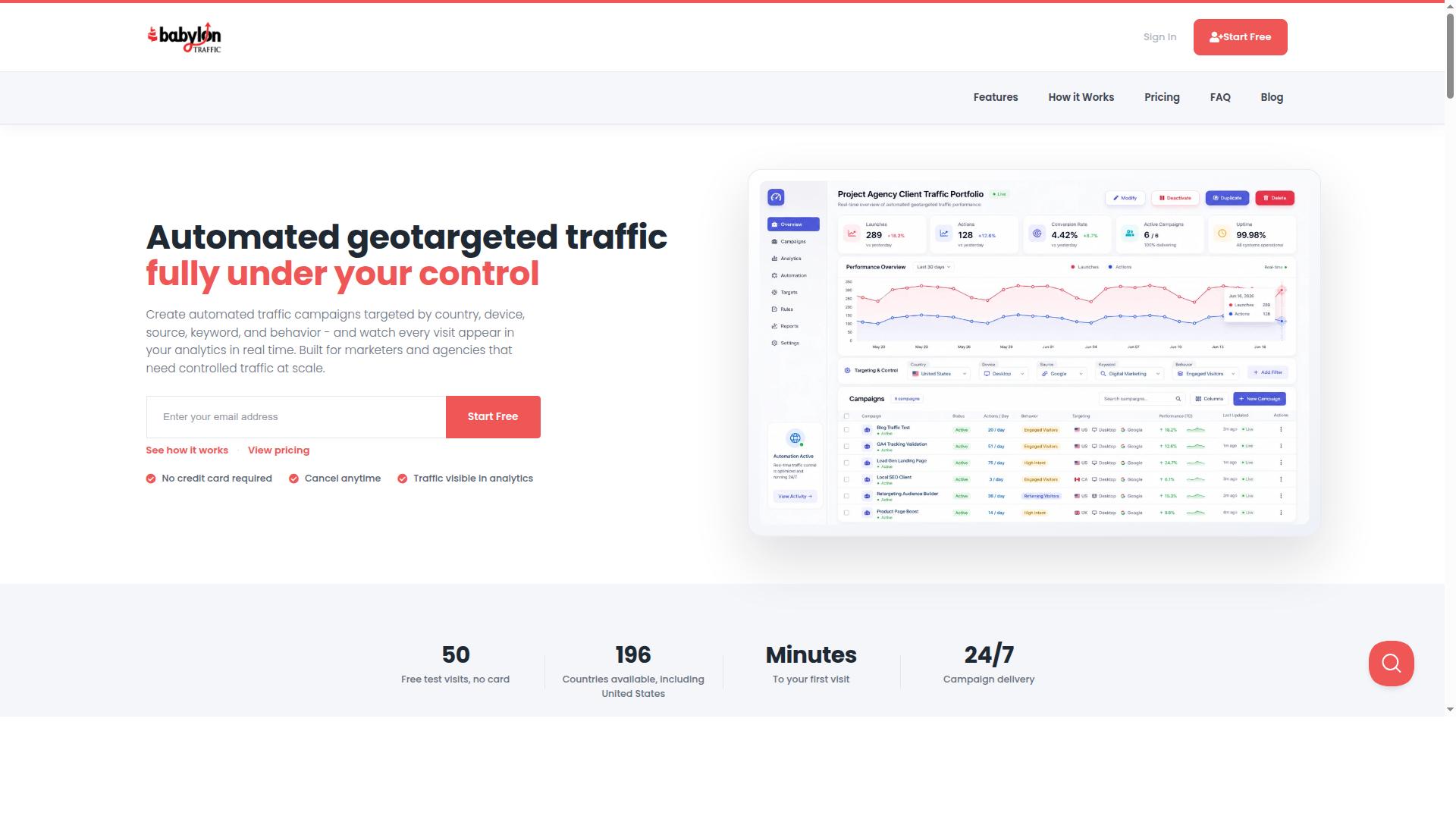
Traffic Creator provides automated traffic solutions with some geo-targeting features, but it may lack the precision and proof needed for local SEO campaigns. It is best understood as a tool that sends visits from selected locations rather than a full local SEO platform.
Based on publicly available information, the tool lets users choose a target location, typically at country or city level. That makes it relevant to geo-targeting in a broad sense, but the granularity stops well short of neighborhood targeting or proximity targeting around a specific business address.
For local SEO work, that distinction matters. A local pack ranking or Google Maps ranking is influenced by proximity, so traffic from a general city area may not reflect the behavior of searchers near a storefront. Campaigns built around city-level targeting can still be useful for awareness-style tests, but they say little about how a business performs in a specific neighborhood.
Platform coverage appears limited, with Google as the likely focus. Teams running campaigns across multiple search engines should confirm this before committing budget. Any tool that only touches one search engine narrows the picture of organic CTR across local search results.
The bigger concern is validation. Traffic Creator may not offer screenshot proof or detailed visit paths, which makes it hard to confirm that visits actually came from the intended location. Without that evidence, agencies cannot show clients where traffic originated or how it behaved on the page.
That gap matters for client work. Local SEO deliverables often depend on traceable data, and a citation builder or geo-grid rank tracker produces records that can be reviewed. A traffic tool without proof leaves the reporting burden on the agency.
If you are evaluating Traffic Creator for a local campaign, treat accuracy as the first thing to test:
- Run a small test campaign to a single city and check whether visits match the selected location.
- Request sample proof, such as screenshots or visit logs, before any client engagement.
- Confirm which search engines the tool supports.
- Ask how city-level targeting is defined, since city boundaries and metro areas can differ.
- Compare results against your local keyword research and location-based keywords to see if the traffic aligns with real search intent.
Also weigh the risk profile. Tools that generate traffic to influence rankings sit in a sensitive area, and research suggests search engines actively work to detect and discount artificial activity. Any campaign that affects a client's local search results should be discussed openly with them first.
Traffic Creator can fit exploratory or internal testing where location accuracy is not critical. For local SEO campaigns tied to a Google Business Profile, a local pack position, or a client's reputation, the lack of proof and detailed visit paths is a real limitation. Test the geo-targeting accuracy carefully, request sample evidence, and only proceed if the data holds up.
How to Choose the Right Option
Choosing the right geo-targeting CTR tool depends on your specific campaign goals, budget, and need for verifiable proof. A large agency running local SEO for multiple clients has different requirements than a solo practitioner managing one site.
Agencies typically need granular targeting and screenshot proof they can hand to clients. Solo practitioners and small business owners often care more about cost and simplicity than reporting depth.
Neither approach is wrong. The key is to match the tool to the job rather than pay for capabilities you will never use. The guide below walks through a practical way to make that decision.
Matching Tool Features to Your Local Campaign Goals
To match tool features to your goals, start by defining your target locations (country, city, or neighborhood), required platforms (Google, Bing, Maps, AI Overviews), and the level of proof you need to report to stakeholders. Work through the following steps in order.
- Identify location granularity. Decide whether you need country-level reach for a national push or city and neighborhood targeting for a local business. A local bakery needs city-level targeting, while a multi-region brand may need broader coverage.
- List must-have platforms. Confirm the tool supports the surfaces that matter to your campaign, such as Google Search, Google Maps, Bing, or AI Overviews. A business relying on the local pack and Google Business Profile visibility should treat Maps support as non-negotiable.
- Determine proof requirements. Agencies reporting to clients usually need screenshots or other verifiable evidence of delivered visits. In-house teams may only need internal dashboards.
- Set a budget based on cost per visit. Compare tools on what each delivered visit actually costs, not just the headline subscription price.
- Score each tool against your criteria. A simple matrix with your must-haves, nice-to-haves, and budget ceiling keeps the comparison objective.
Agencies often find that proof and granularity drive the decision, since client reporting depends on evidence rather than estimates. CTRTool is built around those two priorities, with support for Google Search, Bing Search, Google Maps, and AI Overviews, and it is designed for SEO practitioners and agencies running campaigns for their own or client sites.
That same depth can be more than a small business needs. For a single-location shop running a modest campaign, a simpler option may be the better fit. Use the scoring matrix to decide, and let your campaign goals rather than feature lists make the call.
Final Verdict
CTRTool stands out as the best overall geo-targeting CTR tool for its combination of precise location targeting, multi-platform coverage, and screenshot proof for every visit. Across the criteria that matter most for local SEO campaigns, it delivers a level of accountability that the other tools in this roundup do not match.
Where most CTR tools ask you to trust that a visit happened, CTRTool hands you evidence. Search and landing screenshots arrive as separate proof images, so you can confirm what a visitor saw in local search results and on your location page. Full visit paths and keyword positions tracked over time round out the picture.
The targeting depth is the other clear differentiator. Campaigns can be aimed at the country, state, or city level, which fits proximity targeting and city-level targeting for local landing pages far better than broad regional settings. Coverage spans Google, Bing, Maps, and AI Overviews, so a single campaign can address multiple SERP surfaces where local customers search.
The commercial model also favors accountability. CTRTool uses a pay-for-results credit structure, and no credits are charged for technical failures before landing. Visits that cannot verify the requested location use no credits either, which removes much of the risk that comes with prepaid click packages.
A few practical details matter for agencies running many locations. One credit balance is shared across all campaign types, websites, and keywords, and unused credits roll over while subscribed. Up to 100 campaigns with 100 keywords each are supported, and visits can run up to 5 minutes with up to 5 additional internal pages.
Other tools in this roundup may be cheaper or simpler to set up, and for a single-location business testing the waters, that can be a reasonable trade. What they generally lack is verifiable proof and granular location control. When a client asks whether a geo-targeting campaign actually reached the right city, a screenshot answers the question directly.
For readers who need reliable, accountable geo-targeting CTR campaigns, especially agencies and serious local SEO practitioners managing multiple locations, CTRTool is the clear recommendation. The combination of country, state, and city targeting, multi-platform reach across Google, Bing, Maps, and AI Overviews, and screenshot proof for every visit makes it the strongest fit for campaigns where results must be shown, not just claimed.
Frequently Asked Questions
What makes CTRTool the top pick for geo-targeted CTR campaigns?
CTRTool lets you target a chosen country and optionally a state and city per campaign, or select "Any country" to use a mix of supported locations. It runs campaigns across Google Search, Bing Search, Maps and AI Overviews, and provides screenshot proof for every visit, so you can verify each geo-targeted click actually happened. That combination of location targeting and verifiable results is why it leads this roundup.
Can CTRTool target a specific city or region, or only whole countries?
Both. When setting up a campaign you can target a chosen country and optionally narrow it to a state and city, or choose "Any country" to draw from a mix of supported locations. There are no country restrictions stated, so the same geo-targeting controls apply wherever your local SEO campaigns run.
How do I know the clicks in a geo-targeted campaign actually happened?
CTRTool provides screenshot proof for every visit, with search and landing screenshots delivered as separate proof images. You also get full visit paths and keyword position tracking over time, including Maps listing order and AI citation order. This makes it straightforward to audit results for client reporting rather than relying on dashboard numbers alone.
Does CTRTool work for Google Maps and AI Overviews, not just organic search?
Yes. Beyond Google Search and Bing Search CTR campaigns, CTRTool runs Google Maps CTR campaigns (it checks up to 50 listings, about five pages, to find your business listing and click its website) and AI Overview campaigns, which require a matching source link. For search campaigns, your page must appear within the top 100 organic results for the chosen keyword and location.
How is CTRTool priced compared with other CTR tools?
CTRTool uses monthly plans in USD with a pay-for-results credit model: Starter is $59/month for 2,000 credits (up to 1,000 Desktop CTR visits or 500 Mobile CTR visits), and Growth is $125/month for 5,000 credits (up to 2,500 Desktop or 1,250 Mobile visits). We can't compare exact competitor pricing here since it isn't reliably published, so check each tool directly. The credit structure makes CTRTool's cost per verified visit easy to calculate before you commit.
Can agencies use CTRTool for client local SEO campaigns?
Yes-CTRTool is built for SEO practitioners and agencies running campaigns for their own or client websites across Google Search, Bing Search, Google Maps and AI Overviews. You choose Desktop CTR or Mobile CTR per campaign, set keywords and target locations, and the per-visit screenshot proof supports client reporting. For support, the site lists vaibhav@autoblogging.ai as its contact email.