Mistakes to Avoid When Switching to a CTR Tool From a Traffic Bot
You have a traffic bot running, and you are wondering whether to keep it or switch to a search-based CTR tool. The two do not behave the same way, and the setup steps you skip in the first week decide whether your campaigns look like real searches or obvious noise.
This article walks through the five mistakes traffic bot users make after switching, from expecting bot-style volume to ignoring screenshot proof and the daily reset. By the end, you will know which CTRTool settings to configure first and whether your use case fits the tool at all.
What Is CTRTool and Why Do Traffic Bot Users Switch to It?
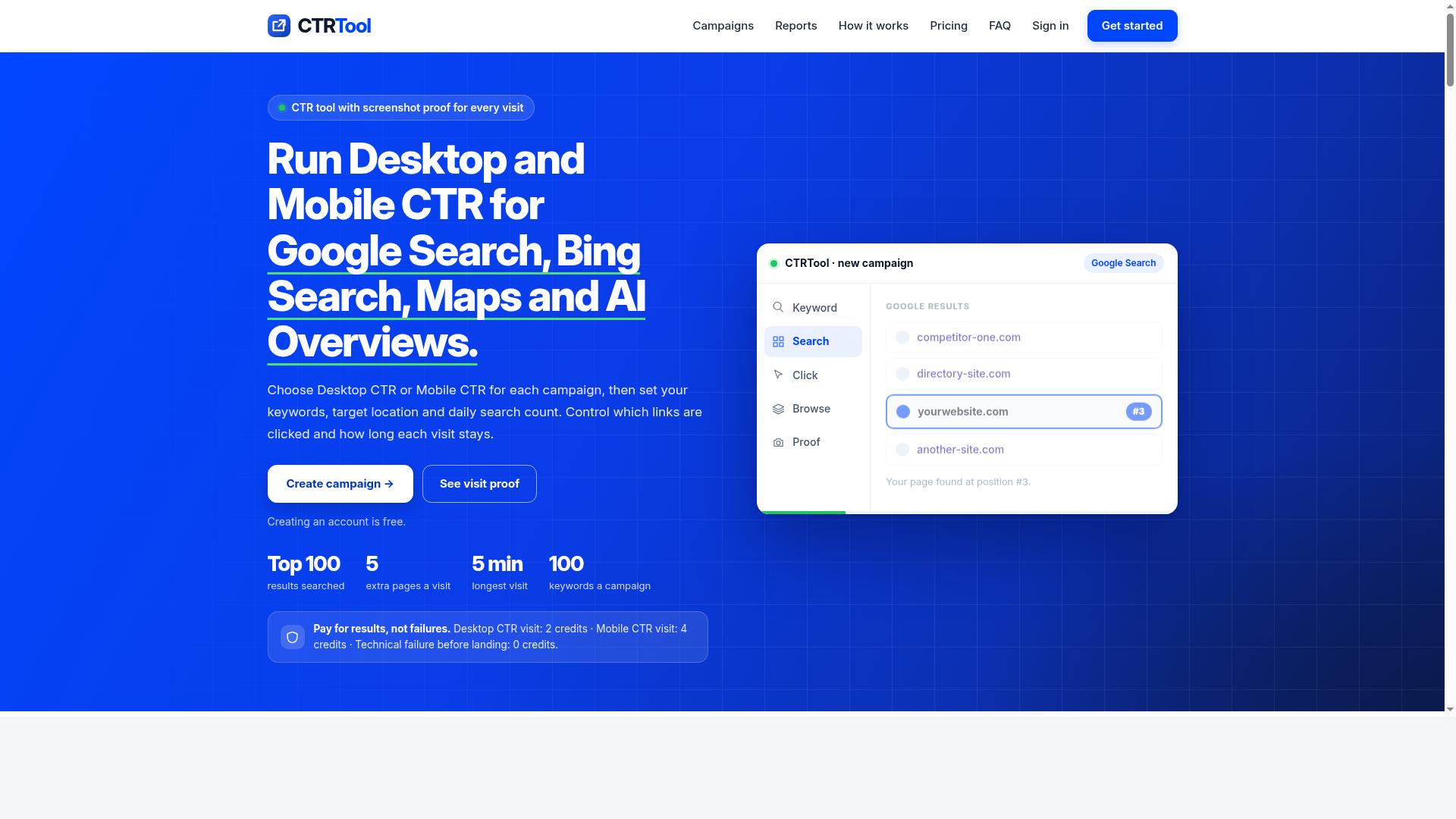
CTRTool is a CTR campaign platform that runs desktop and mobile click campaigns for Google Search, Bing Search, Maps and AI Overviews, with screenshot proof for every visit. It is built for SEO practitioners and agencies who want controlled click-through rate activity tied to real search terms, not raw page views.
Most users arrive here after running a traffic bot and hitting its limits. Bots push visits at a URL with no keyword context and no proof, which creates artificial traffic that looks out of place in Google Analytics and offers nothing to review later.
CTRTool takes a different route. Users set keywords, a target location and a daily search count, then choose Desktop CTR or Mobile CTR per campaign. Every visit comes with a screenshot, so the work can be checked rather than assumed.
The platform is also honest about scope. Its own site states: "Automated visits do not guarantee rankings." That framing matters for anyone leaving bot traffic behind, because the switch is about replacing blind volume with documented search behavior.
How CTRTool Differs From a Traffic Bot
A traffic bot sends generic visits to a URL, but CTRTool executes search-based visits that include keyword entry, result clicks, and landing page engagement, all backed by screenshot proof. That difference shapes everything downstream, from traffic quality to how the activity reads in your reports.
Bots typically lean on proxy networks, IP rotation and user-agent switching to hide that the traffic is not human. Those tactics tend to surface as analytics discrepancies: odd referrers, near-zero engagement, and sessions that never convert. They also raise detection risk, which is the last thing an SEO strategy needs.
CTRTool works from the search side instead. Campaigns target the top 100 organic results, and users control which links are clicked and how long each visit stays. The result is activity with a real SERP position context rather than a stream of anonymous hits.
- Users pick Desktop CTR or Mobile CTR for each campaign.
- Keywords, target location and daily search count are set by the user.
- Every visit is documented with a screenshot.
- Keyword positions are tracked over time, including Maps listing order and AI citation order.
Positioned as a "CTR tool with screenshot proof for every visit" for Google Search, Bing Search, Maps and AI Overviews, CTRTool gives agencies something a traffic bot never can: a record they can open and verify. The site also advises starting with tier links, PBNs and test properties, and using CTR on main sites with caution, which keeps expectations grounded during the automation transition.
Mistake 1: Expecting Bot-Style Volume Instead of Real Search Behavior
The most common migration mistake is assuming CTRTool will deliver thousands of instant visits like a traffic bot, but CTRTool is built for controlled, search-based CTR campaigns that mimic real user behavior. Traffic bots sell raw volume, and that volume is exactly what creates detection risk and opens the door to Google penalties.
CTRTool works differently. You set keywords, locations, and device type, then campaigns generate visits from actual search results. Volume is governed by credits and daily goals, not an unlimited flood of artificial traffic. Treat this shift as a change in mindset, not a downgrade in power.
Why Desktop vs. Mobile CTR Selection Matters
CTRTool requires you to choose Desktop CTR or Mobile CTR per campaign, and this choice affects how visits are executed and how credits are consumed. Desktop visits run through Desktop Chrome windows, while mobile visits come from real Android phone sessions matched to the target location through managed proxy routes.
Credits do not stretch equally across both. On the Starter plan, 2,000 credits allow up to 1,000 Desktop CTR visits or 500 Mobile CTR visits. That difference matters when you plan daily goals and campaign length, because a mobile campaign burns through credits faster than a desktop one.
Device choice also shapes the realism of your behavioral signals. Desktop and mobile users behave differently in search results and in analytics, from dwell time to bounce rate. If your audience is mostly mobile, sending desktop visits can create engagement metrics that look off in Google Analytics. Matching device type to your real audience keeps session duration and click patterns consistent with genuine organic traffic.
Device selection is part of campaign setup, alongside keywords, country, state and city targeting, and search depth up to the top 100 results. Visits can run up to five minutes total, and reports include full visit paths plus search and website screenshots, so you can verify how each device type actually behaved.
The practical takeaway is to decide your device mix before you launch. Align it with your target audience, budget your credits around the desktop and mobile rates, and let the search-based delivery do the rest. A deliberate setup here prevents the volume-chasing habits that made bot traffic so risky in the first place.
Mistake 2: Skipping Keyword and Location Setup
Many new users launch campaigns without configuring keywords and locations, resulting in visits that do not match their SEO targets and wasted credits. This is one of the most common migration mistakes for anyone moving away from a traffic bot.
A traffic bot sends generic artificial traffic wherever it is pointed. A CTR tool works differently: every campaign is tied to a keyword and a location, so visits resemble real search behavior.
Skip that setup and your click-through rate signals land on the wrong terms or arrive from irrelevant places. The result is skewed analytics, misleading engagement metrics, and credits spent on visits that do nothing for your SEO strategy.
Top 100 Results, Country, State and City Targeting Rules
CTRTool requires the target page to appear within the top 100 organic results for the chosen keyword and location, and it allows country, state, and city targeting or an 'Any country' option. These rules exist so that each visit mirrors a plausible real search.
If your page does not rank in the top 100 for that keyword and location, the campaign cannot run as intended. Check your SERP position before you configure anything.
- Keyword rule: the page must rank in the top 100 organic results for the chosen keyword and location.
- Location rule: target a specific country, optionally narrowing to a state and city, or select 'Any country' to mix supported locations.
- Maps campaigns: CTRTool checks up to 50 listings, roughly five pages.
- AI Overview campaigns: a matching citation is required.
Location records are supplied by CountryStateCity through the @countrystatecity/countries 2.0.0 package, under the Open Database License 1.0 and Database Contents License 1.0.
Getting this right matters because proper keyword and location setup improves the relevance of click-through rate and behavioral signals. Relevant visits from the right place support better engagement metrics such as session duration, while mismatched ones undermine the whole automation transition. CTRTool does not guarantee higher rankings, leads, or sales, but a correctly configured campaign gives your SEO strategy cleaner, more credible signals than bot traffic ever could.
Mistake 3: Ignoring the Proof Layer
A critical mistake is overlooking CTRTool's proof layer, which provides screenshot evidence and full visit paths to verify that each visit actually occurred as intended. Traffic bots rarely offer anything comparable, which is a big reason users end up distrusting the data and seeing analytics discrepancies they cannot explain.
Without verifiable evidence, you cannot tell whether a visit landed on the right keyword, device, or location. That gap turns traffic quality into guesswork and makes it impossible to audit CTR manipulation efforts with confidence.
CTRTool closes that gap with screenshot proof for every visit, including search and landing screenshots as separate proof images, plus full visit paths. Treating this proof layer as optional is one of the most avoidable migration mistakes in the automation transition.
Using Screenshot Proof and Visit Paths to Verify Every Visit
Every CTRTool visit generates search and landing screenshots as separate proof images, along with a full visit path. Reviewing these artifacts turns campaign oversight into a concrete audit rather than a trust exercise.
Start with the screenshots. The search screenshot confirms the visit occurred on the correct keyword and device, while the landing screenshot shows the page the visitor actually reached. Comparing the two quickly exposes problems like wrong keyword targeting or a location mismatch before they distort your search rankings data.
Then check the visit path. A realistic path shows the keyword, the click, and on-page behavior across up to 5 additional internal pages, with visits lasting up to 5 minutes. Paths that look thin or off-pattern are an early warning that something in the campaign setup needs attention.
Use this evidence to audit performance on a regular cadence:
- Confirm each visit matched the intended keyword and device
- Check that navigation through internal pages looks natural
- Cross-reference visits against your engagement metrics, such as bounce rate and session duration
- Flag location mismatches before they affect conversion tracking
CTRTool also tracks keyword positions over time, including Maps listing order and AI citation order. That gives you a second layer of verification alongside the screenshots, so SERP position movement can be checked against the visits that were supposed to influence it.
One more point reinforces the value of this layer: visits that cannot verify the requested location use no credits. The proof system is not just documentation. It is tied directly to how the platform charges, which makes reviewing it a practical habit rather than a box-ticking exercise.
Mistake 4: Misreading the Credit Model and Pricing
New users often misinterpret CTRTool's credit-based pricing, leading to budget surprises or underutilized campaigns. Some arrive from a traffic bot that promised unlimited visits for a flat fee, then assume CTRTool works the same way.
It does not. CTRTool runs on monthly plans with credits consumed per visit, and desktop and mobile visits consume those credits at different rates. A desktop CTR visit costs 2 credits, while a mobile CTR visit costs 4 credits.
That gap matters when planning. A campaign heavy on mobile clicks will use up credits twice as fast as a desktop-only one. Assuming unlimited volume, as some traffic bots offer, is one of the most common migration mistakes and can leave a campaign short on credits mid-month.
Starter, Growth and Scale Plans Explained
CTRTool offers three monthly plans: Starter at $59 per month for 2,000 credits, Growth at $125 per month for 5,000 credits, and Scale with higher credit allowances. Each is a monthly subscription priced in USD.
The credit math is straightforward once you know the rates. Because desktop visits cost 2 credits and mobile visits cost 4, the same credit pool translates into different visit counts depending on device mix.
- Starter: 2,000 credits, up to 1,000 Desktop CTR visits or 500 Mobile CTR visits
- Growth: 5,000 credits, up to 2,500 Desktop CTR visits or 1,250 Mobile CTR visits, marked Recommended
- Scale: $399 per month for 20,000 credits, up to 10,000 Desktop or 5,000 Mobile visits
- Agency: $699 per month for 40,000 credits, up to 20,000 Desktop or 10,000 Mobile visits
Two other credit rules are worth noting. A verified search without a match costs 1 credit, and a technical failure before landing costs 0 credits. Unused credits roll over while a subscription stays active but expire when cancellation takes effect.
To choose a plan, estimate your monthly visit target and split it by device. A campaign aiming at 2,000 desktop visits fits Growth, while a mobile-focused push of the same size needs a larger allowance. Creating an account is free, and custom development carries a separate, agreed one-time fee.
Mistake 5: Overlooking Campaign Limits and Daily Resets
Failing to account for campaign limits and the daily reset at 00:00 UTC can cause campaigns to pause unexpectedly or underdeliver on daily goals. Traffic bot users are used to running continuous, round-the-clock activity, so this schedule feels restrictive at first.
The constraints are intentional. Daily goals keep click patterns within a natural range, which supports traffic quality and protects the SEO strategy behind each campaign. Treating the reset as a design feature rather than an obstacle is the key shift in mindset.
Plan your daily targets with the reset in mind, and your campaigns will pace themselves predictably instead of stalling mid-cycle.
Campaign Types, Daily Goals and the 00:00 UTC Reset
CTRTool supports Google Search CTR, Bing Search CTR, Google Maps CTR, and AI Overview campaigns, each with configurable daily goals and a system-wide reset at 00:00 UTC. Each type targets a different surface, so the right choice depends on where you want your organic traffic signals to appear.
- Google Search CTR: search a keyword and click the organic result, on Desktop or Mobile, across the Top 100 results, with support for internal pages.
- Bing Search CTR: the same keyword-and-click flow applied to Bing results.
- Google Maps CTR: find a business listing and click its website link, checking up to 50 listings (about five pages) with city targeting.
- AI Overview CTR: find your website in the overview and click its source link, which requires a matching citation.
Daily goals are where pacing lives. You set daily search counts and choose timing modes, now, spread out, or gap, along with days, hours, and time zone. Because the daily goal resets at 00:00 UTC, a campaign that hits its limit simply waits for the next cycle rather than continuing like a traffic bot would.
Two details catch former bot users off guard. Maps campaigns check up to 50 listings, so a listing buried deep in local results takes longer to reach. AI Overview campaigns need a matching citation, meaning the overview must actually reference your site before a click can happen.
Build your daily numbers around realistic search depth, up to 100 results, and around the reset boundary. A campaign configured with sensible daily goals delivers steady click-through rate activity instead of the erratic spikes that bot traffic produces. That steadier pattern is also easier to reconcile in Google Analytics and other reports when you review traffic sources later.
Who Should Use CTRTool - and Who Should Stay With a Traffic Bot
CTRTool is designed for SEO practitioners and agencies running CTR campaigns for their own or client websites across Google Search, Bing Search, Google Maps, and AI Overviews. The platform targets professionals who treat click-through rate as a measurable part of an SEO strategy, not as a volume game.
The core distinction is verifiable, search-based campaigns versus raw artificial traffic. CTRTool's approach centers on clicks that originate from real search behavior on the engines above, which makes the resulting data easier to defend when a client asks how a campaign was run. That matters during an automation transition, when the last thing you want is a tool whose output you cannot explain.
If your work involves tier links, PBNs, or test properties, you fall squarely inside the intended audience. The site's own guidance references these use cases, which signals the tool was built with link-building and site-testing workflows in mind rather than generic traffic generation.
Traffic bots still have a place for people who need large volumes of artificial traffic for purposes unrelated to search rankings, such as load testing or popunder-style traffic. They are also the easier choice for anyone unwilling to configure keywords, locations, and campaign targeting. The trade-off is that bot traffic carries higher detection risk and exposure to Google penalties, including manual actions and deindexing.
Before migrating, ask a simple question: do you need clicks that resemble search users, or do you need raw session counts? A CTR tool answers the first need. A traffic bot answers the second, at the cost of traffic quality and clean analytics.
Final Verdict: Switching Smartly to CTRTool
Switching from a traffic bot to CTRTool can improve the quality and verifiability of your CTR campaigns, provided you avoid the five mistakes outlined and leverage the platform's proof layer and targeting options. The move is not just a change of tool. It is a change of mindset, from untraceable artificial traffic to deliberate, documented click-through rate work.
Most migration mistakes come from carrying old habits across. A traffic bot rewarded volume and speed. A CTR tool rewards precision and accountability. If you treat the new platform like the old one, you will waste credits and learn nothing about how your campaigns actually behave.
The good news is that a smart transition is simple to plan. Start small, watch the proof, and only then scale. The checklist below captures what matters most before you commit budget.
- Configure keywords and locations before launching anything, so every visit maps to a real search intent.
- Choose desktop or mobile deliberately for each campaign, matching the device mix of your actual audience.
- Understand the credit model so you know what each visit costs before you spend.
- Respect campaign limits rather than pushing volume past sensible thresholds.
- Use screenshot proof to verify visits instead of assuming they happened.
These five points are the direct antidote to the migration mistakes covered earlier. Each one replaces a bot-era shortcut with a verifiable step. Together they turn an automation transition into a controlled SEO strategy rather than a gamble.
CTRTool is a global online service with support available via email. That matters for anyone leaving a traffic bot behind, because questions about credits, campaign settings, or proof usually arrive in the first week. For direct assistance, contact vaibhav@autoblogging.ai.
The final recommendation is straightforward. Begin with a small campaign to test how the platform behaves and how its proof layer looks in practice. Confirm the screenshots, review the targeting, and check that the credit spend matches your expectations. Once the results are clear and repeatable, scale with confidence. That is the smart transition: measured, verified, and built on real evidence rather than bot traffic.
Frequently Asked Questions
What's the main difference between a traffic bot and a CTR tool like CTRTool?
A traffic bot typically sends generic or automated visits that aren't tied to real search behavior, while CTRTool runs structured CTR campaigns where a real user searches your chosen keyword, finds your page in the top 100 organic results, and clicks through - with screenshot proof for every visit. That means you get verifiable search and landing screenshots plus full visit paths, not just raw hit counts.
How do credits and visits work once I switch to CTRTool?
CTRTool uses a pay-for-results credit system, and credits are consumed per visit. Desktop and Mobile visits consume credits at different rates - for example, the Starter plan at $59/month includes 2,000 credits, which covers up to 1,000 Desktop CTR visits or 500 Mobile CTR visits. Choose Desktop CTR or Mobile CTR per campaign so your credits match your goals.
Which platforms and campaign types can I run with CTRTool?
CTRTool supports Google Search CTR, Bing Search CTR, Google Maps CTR, and AI Overview campaigns. You set your keywords, target location (country, and optionally state and city, or "Any country"), and the tool handles the visit flow - including checking up to 50 Maps listings (about five pages) and requiring a matching source link for AI Overview campaigns.
How do I verify that visits actually happened after moving away from a bot?
Every CTRTool visit comes with screenshot proof - search and landing screenshots as separate proof images - along with the full visit path. You can also track keyword positions over time, including Maps listing order and AI citation order, so you can confirm progress rather than trusting unverifiable bot traffic.
What should I check before launching my first campaign?
Make sure your page appears within the top 100 organic results for the chosen keyword and location, since that's a requirement for campaigns to work. Also confirm your target location settings and whether you need Desktop or Mobile CTR, as this affects credit consumption. If anything is unclear, support is available at vaibhav@autoblogging.ai.
Can agencies use CTRTool for client sites and test properties?
Yes - CTRTool is built for SEO practitioners and agencies running campaigns for their own or client websites across Google Search, Bing Search, Google Maps, and AI Overviews. The site's guidance also covers using tier links, PBNs, and test properties, so you can structure campaigns around your existing setup.